
A fast, minimal Mac cleaner that finds the large and hidden files eating your disk, and clears developer junk in a single click.
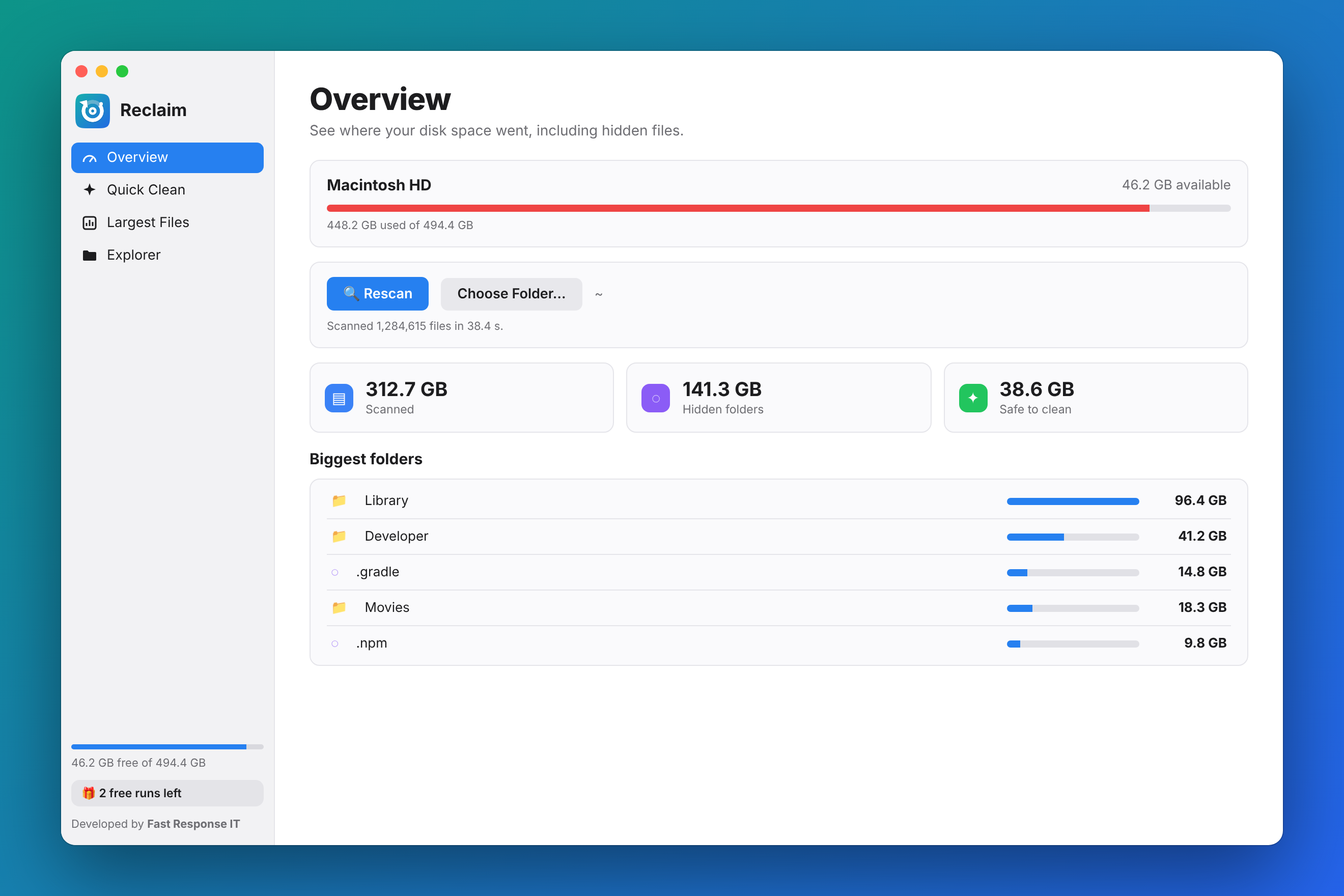
No bloat and no ads. Reclaim does one job: shows you where your space went and helps you get it back.
Reclaim reads dot-folders and ~/Library, where gigabytes quietly pile up, so you can see the whole picture.
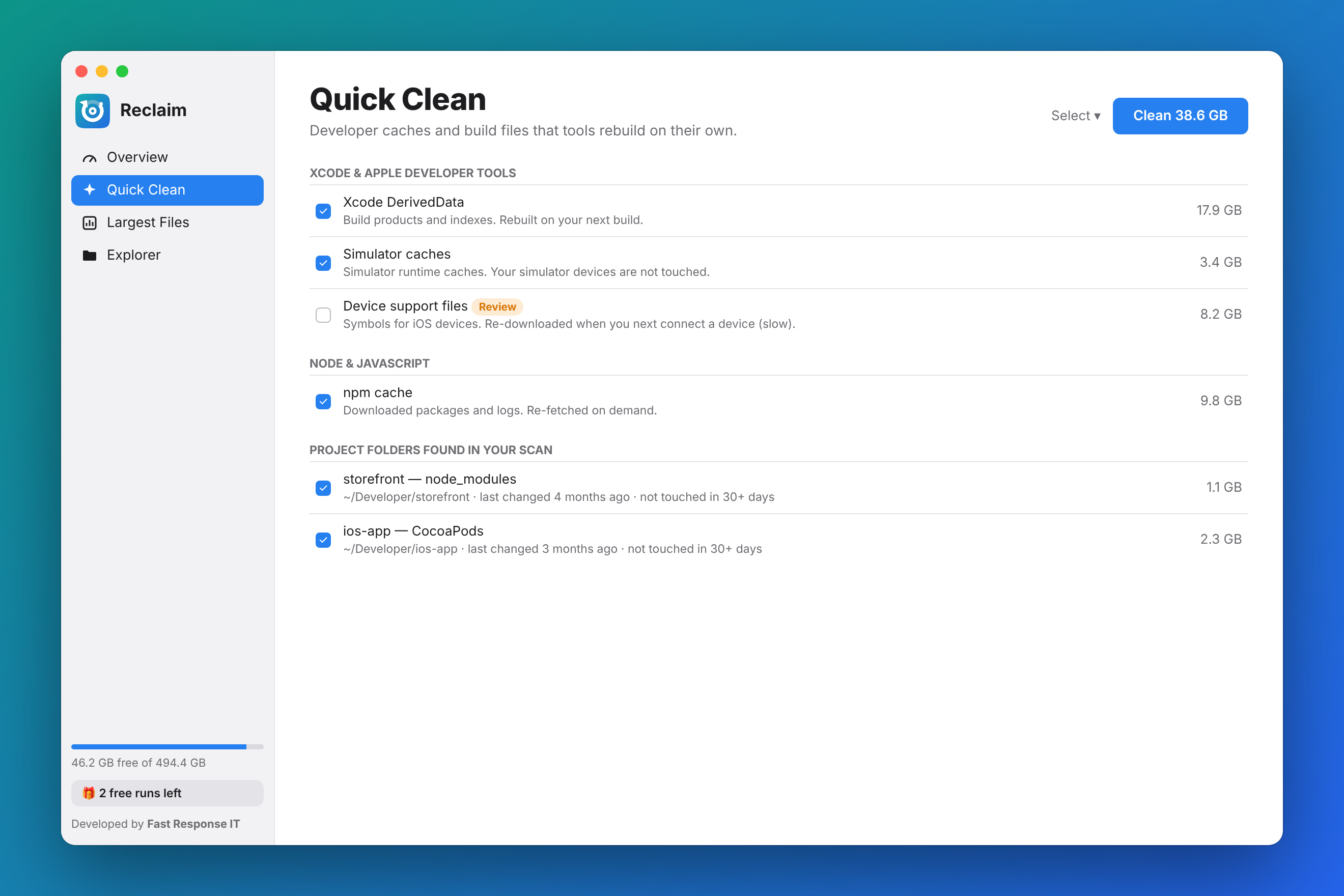
Finds Xcode DerivedData, simulator and device-support files, npm, Yarn, pnpm, Gradle, CocoaPods, Homebrew and more.
Sort by name, size, kind or date. Filter to hidden files only, or to files over 100 MB or 1 GB.
Browse your disk the way you'd want Finder to: biggest folders first, with sizes that include everything inside.
Move items to the Trash, or force delete locked and read-only files that refuse to go.
Scan USB and Thunderbolt drives, plus SMB and NAS shares, from the same window.
Xcode and Node alone can fill a laptop. Reclaim knows where they leave their caches and build folders, and which ones are safe to delete.
Try it free for three runs. No account needed.
Available worldwide. Local price shown in the App Store.
A run is one scan or one Quick Clean clean-up. Subscriptions renew monthly through your Apple ID and can be cancelled any time in your App Store account settings.
 Reclaim